
Project
Kinza Delivery
Kinza is a grocery delivery app designed end-to-end — from research to a 50-screen UI system. The project was anchored on two non-obvious bets: an AI-driven photography pipeline that gives every category an editorial look without a photoshoot budget, and a B2B account flow for chefs, household assistants, and small-business owners that opens a second revenue line without splitting the app.
Intro
Deliverables:
UI/UX Design
Product Design
Art Direction
Copywriting
Content
Year
/
2026
Client
/
Kinza Delivery
Problem
High-income consumers in Uzbekistan want premium and exclusive products, but there's no centralized way to buy them. Today everything runs through personal contacts and phone orders — quality and prices vary, delivery is unpredictable, imported goods are out of reach. The market is real, but the channel doesn't exist.
Challenge
The hardest problems were narrower than "design the app."
Bet 1 — premium, not stock. A premium catalogue can't look like a generic delivery app. I built an AI photography pipeline with locked visual references — warm cream background, soft daylight, editorial framing — so every category reads as one story instead of a stock dump.
Bet 2 — B2B inside the same app. Chefs, household assistants and small-business owners are the same premium customers in a different mode. Instead of a separate app, B2B is an account upgrade with a four-block onboarding: what is this · who it's for · what's inside · CTA + verification.
Process
End-to-end as the sole product designer: user interviews and JTBD, customer journey of the phone-order model, competitive analysis, two concepts before the final UI system. The work covers the full surface — catalogue, search, basket, checkout, account flows, B2B onboarding, and a UI kit ready for engineering handoff.
starting point
The finished product first: Kinza, a premium grocery platform. It replaced a notebook full of phone orders. Every screen here exists because of a decision made earlier — so let's rewind to the start.

(1)
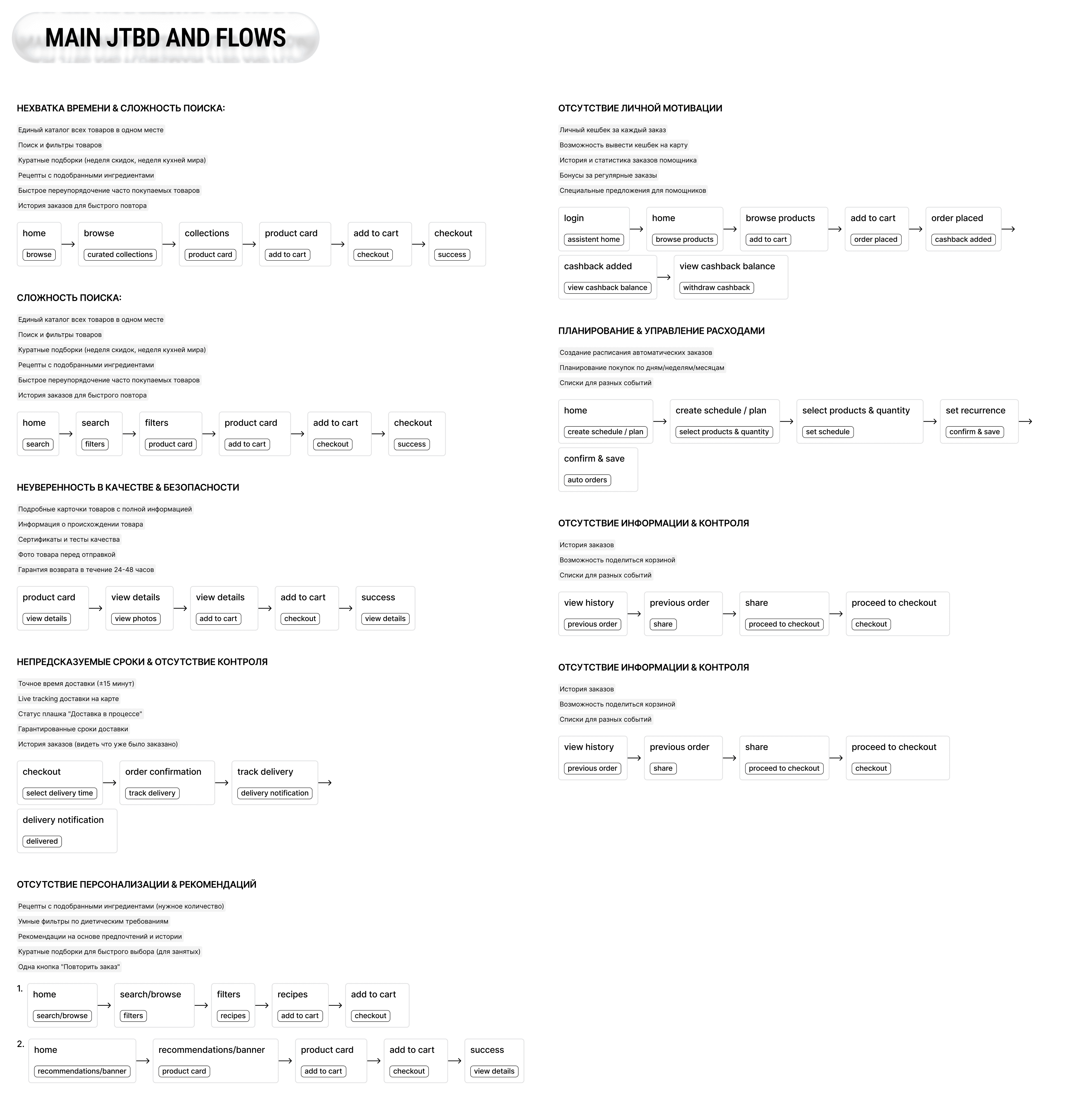
It started with people, not screens. Interviews framed as Jobs-To-Be-Done — buyer, household helper, business client — and what each of them actually hires Kinza to do.Interviews split the audience into three roles — buyer, household helper, business — each hiring Kinza for a different job.


(2)
Those jobs became flows: invisible time costs, search complexity, trust gaps — all mapped before a single pixel.
(3)
A scan of regional delivery apps confirmed the gap: everyone is functional, nobody is premium.

(4)
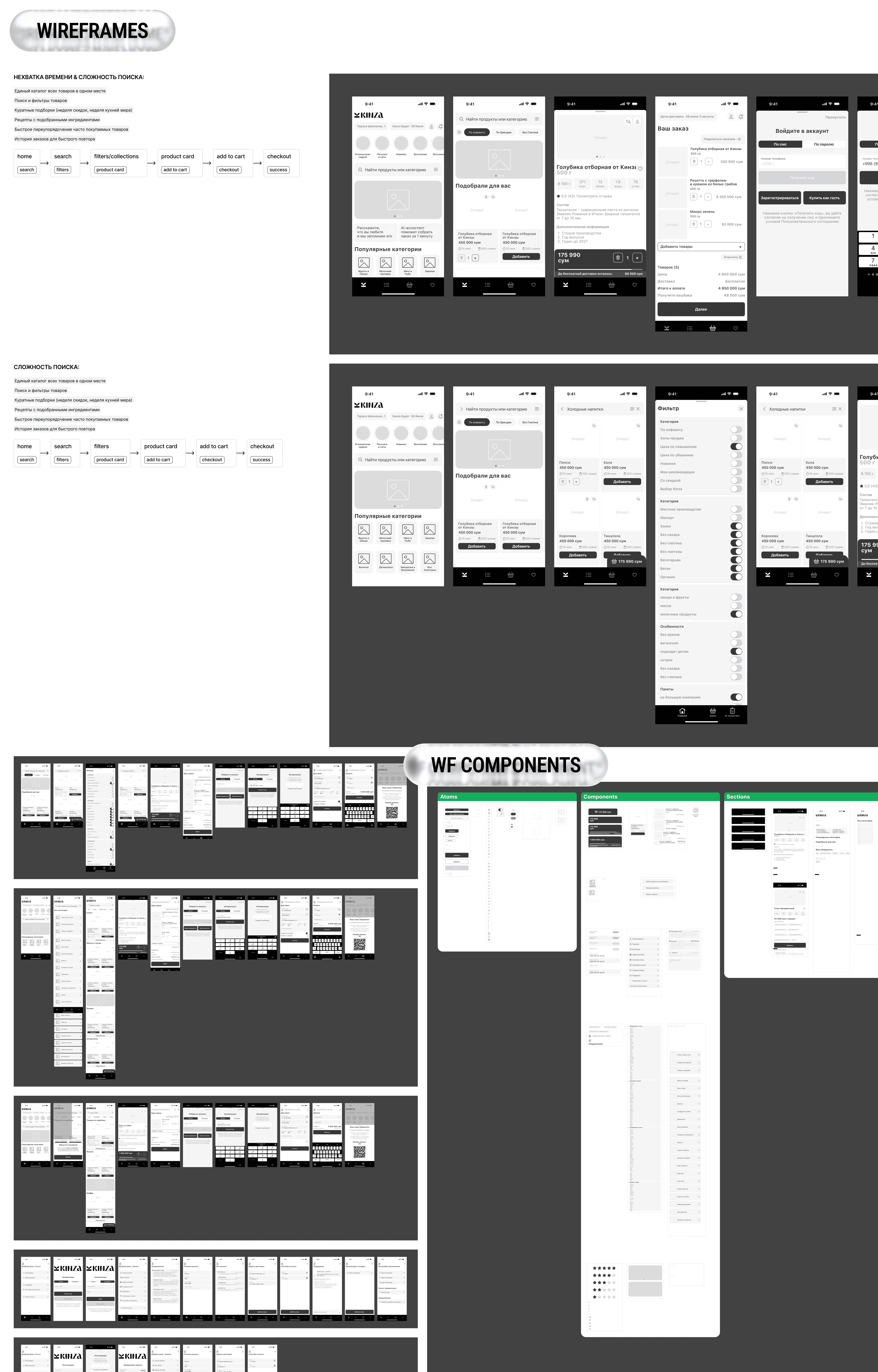
Structure came first, in grayscale — atoms, components, full sections. Layout decisions made without the makeup.
(5)
Then the bet that defines the look: an AI photography pipeline. One locked editorial style across 20+ categories — zero stock, zero photoshoot budget.
Those photos became the catalogue's face: the full assortment reads as one visual story.


(6) Main Screen and Beyond
The main screen behaves like a storefront, not a list — curated sets, partner shelves, an AI assistant entry point.

(7) Product Cart
The product card carries the premium promise — origin, lab expertise — and the basket stays one tap away.
Checkout is deliberately boring: date, address, payment. Friction removed instead of screens added.


(8) AI Assistant
For those who skip browsing entirely: a voice message is enough. The assistant assembles the basket — you only confirm.

(9) Recipes
Recipes are commerce in disguise: every dish converts into a ready-made product set.
…and then walks you through cooking it, step by step, with the ingredients already in your kitchen.


(10) Business acc
Then the same customer switches mode: chefs, helpers and small businesses upgrade to a business account — without leaving the app.
Its onboarding answers four questions first — what is this, who it's for, what's inside — and only then asks anything back.
Two short steps — role, volumes, contacts — and verification within 24 hours instead of a form marathon.
Verified businesses get a purchasing dashboard: spend structure, savings, repeat orders in two taps.


(11) UI-Kit and Design System
Behind the scenes — the full 50-screen system in Figma…
…built on a component library, so every next screen costs hours, not days.


Result
Kinza centralizes the premium offering in Uzbekistan — local suppliers and imported goods — with guaranteed quality, transparent pricing, and predictable delivery. Phone calls and contact-network searches become catalogue browsing.
The design scales the model from manual operations serving dozens of customers to a platform serving thousands. It ships as a reusable AI photography system extensible by a non-designer, a 50-screen design system ready for engineering handoff, and a B2B-inside-B2C account pattern serving the same customer in two contexts.
Commissioned by the founding team and developed over five months of direct collaboration with the owner — from research through final handoff.
